Teamcenter Visualization 2606

Vis Automations.

Teamcenter Visualization (Vis Mockup) installed silently and driven with no clicks through its COM server, plus tools that run from Vis’s own Automation Scripts menu. Each one with its evidence, its install steps and its open questions.

Start with Install, then Headless COM Automation. Every known trap is on one page: Traps.

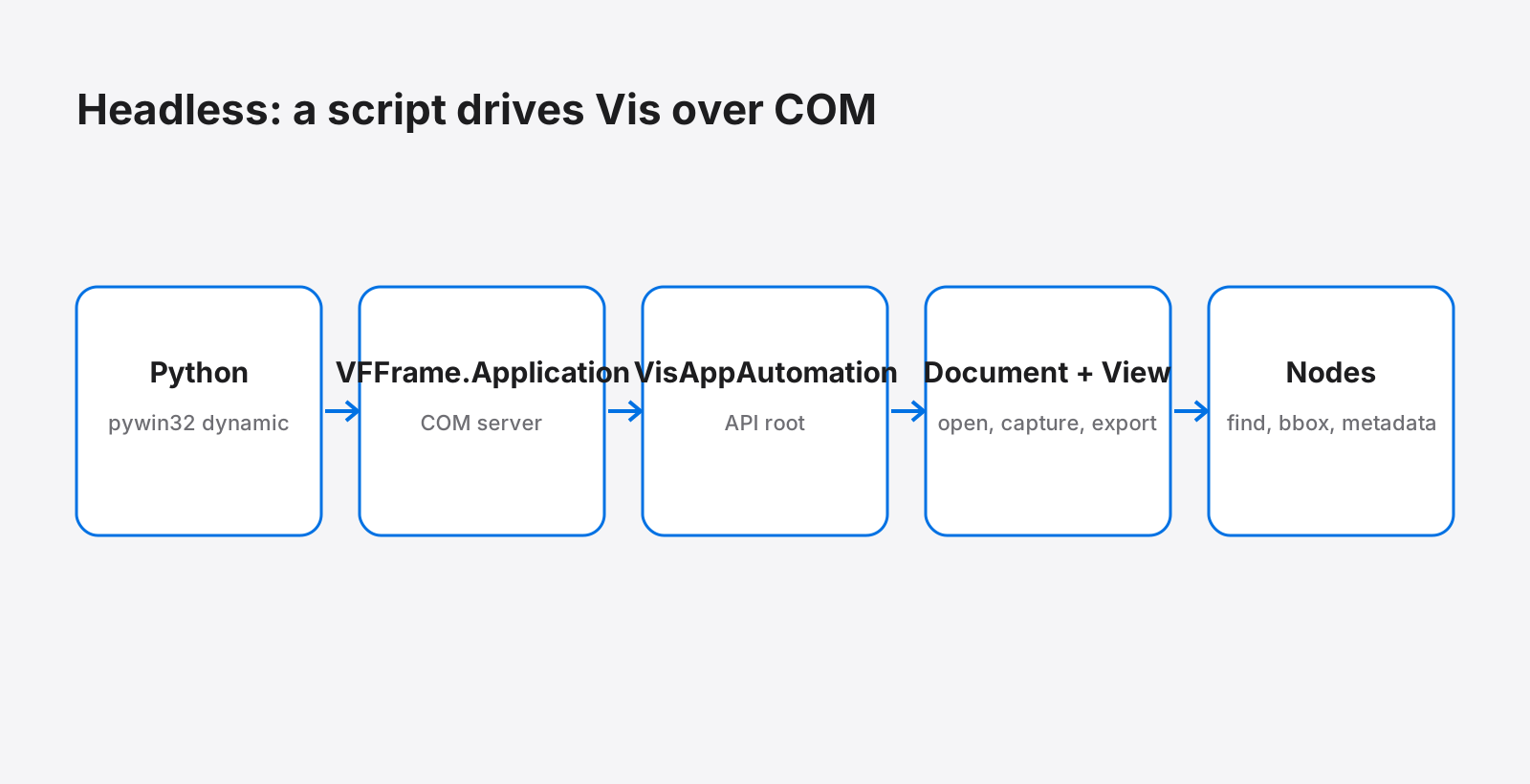
Diagram: Python with pywin32 calls VFFrame.Application, VisAppAutomation, documents, views and nodes

PYTHON OVER OLE/COM

Headless COM Automation

Drives Vis Mockup with no clicks through its COM server VFFrame.Application: open a JT, read the tree, find, measure, read metadata, set the camera, snapshot, section, show PMI, capture and export.

12/12
validation tasks pass in one Vis session, no clicks
35 s
for the whole validation run
12
traps written down, each found in a real run

Verified Vis 2606.0 build 26134 + 2606.2610 · 2026-10-29
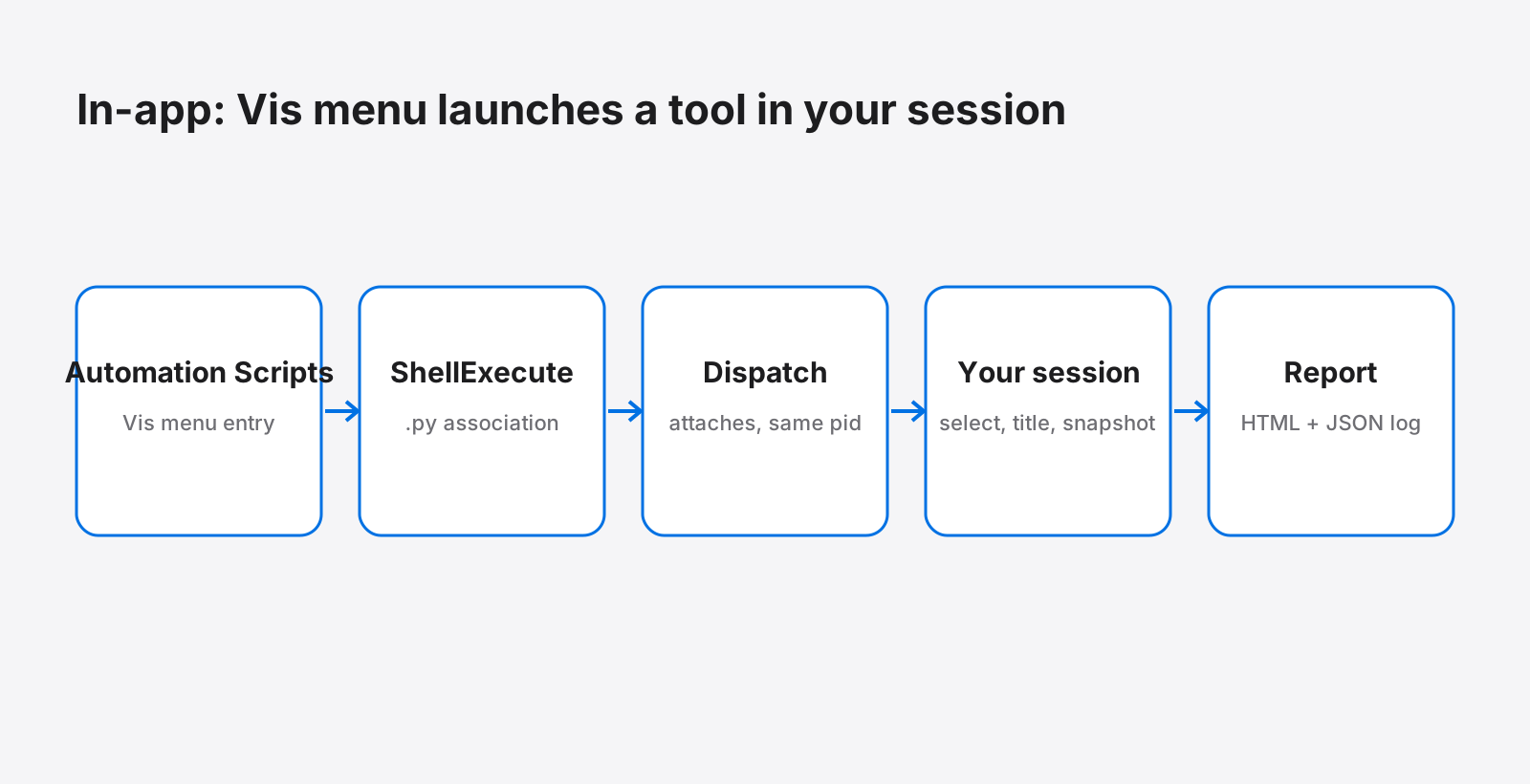
Diagram: Vis menu runs the script with ShellExecute, the script attaches back to the same Vis session

IN-APP TOOL, AUTOMATION SCRIPTS MENU

Model Inspector

A Python tool that Vis lists in its own Automation Scripts menu: it attaches to the open session, reads every part, selects the largest, retitles the view, adds a snapshot and writes a report.

6/8
checks hold; the two that fail are registration and restart persistence
1
Vis process before and after: it works in your session
67
parts read on the engine example

Not fully passing Vis 2606.0 build 26134 + 2606.2610 · 2026-10-29
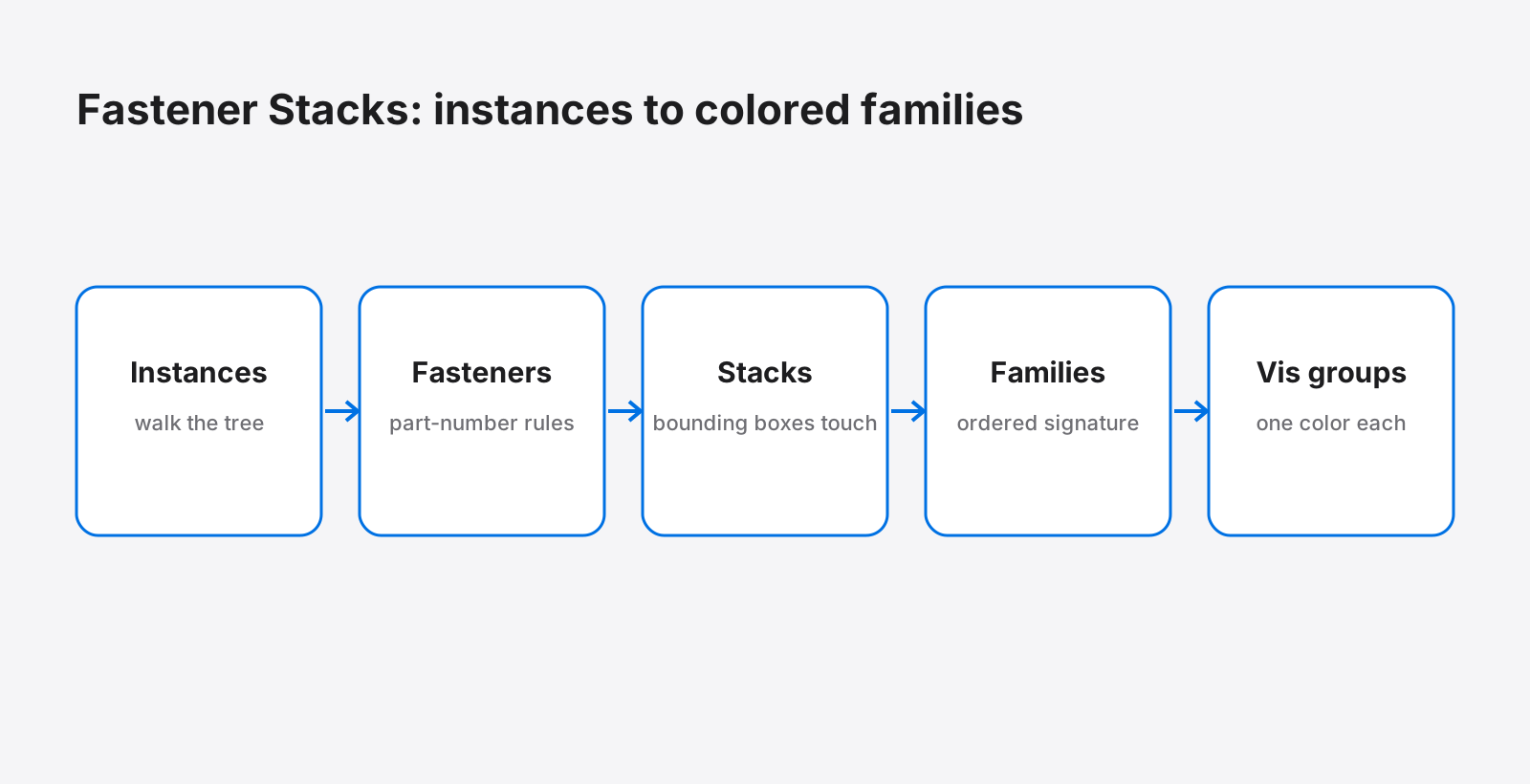
Diagram: instances, fastener rules, stacks by bounding-box contact, families by signature, Vis groups and colors

IN-APP TOOL, AUTOMATION SCRIPTS MENU

Fastener Stacks

Finds every fastener in an assembly, groups touching fasteners into stacks, groups identical stacks into families, and shows each family as a colored Vis group you can select.

1352
fasteners found on a wing flap
1063
stacks
27
families, one colored Vis group each

Not fully passing Vis 2606.0 build 26134 + 2606.2610 · 2026-10-29

How every automation is delivered.

Read back, never assumed

A call that returns cleanly proves nothing in Vis: a fresh model captures as a blank white frame, and a STEP export from a tessellated JT writes no file and raises no error. Every check here counts pixels, re-reads properties or opens the written file.

EXERCISED or DERIVED, said every time

What was run is marked EXERCISED. What was worked out from the API reference or from strings in the Vis binaries is marked DERIVED, and stays that way until a run proves it.

Failures are listed, not hidden

Where something did not work (the menu entry that does not survive a restart, the blank fasteners-only capture) it is on the Verification and Open questions pages with what was tried.

Headless first, then inside Vis

The same COM API serves a script that starts its own Vis and a tool launched from the Automation Scripts menu that attaches to the session the user already has open.